Specs
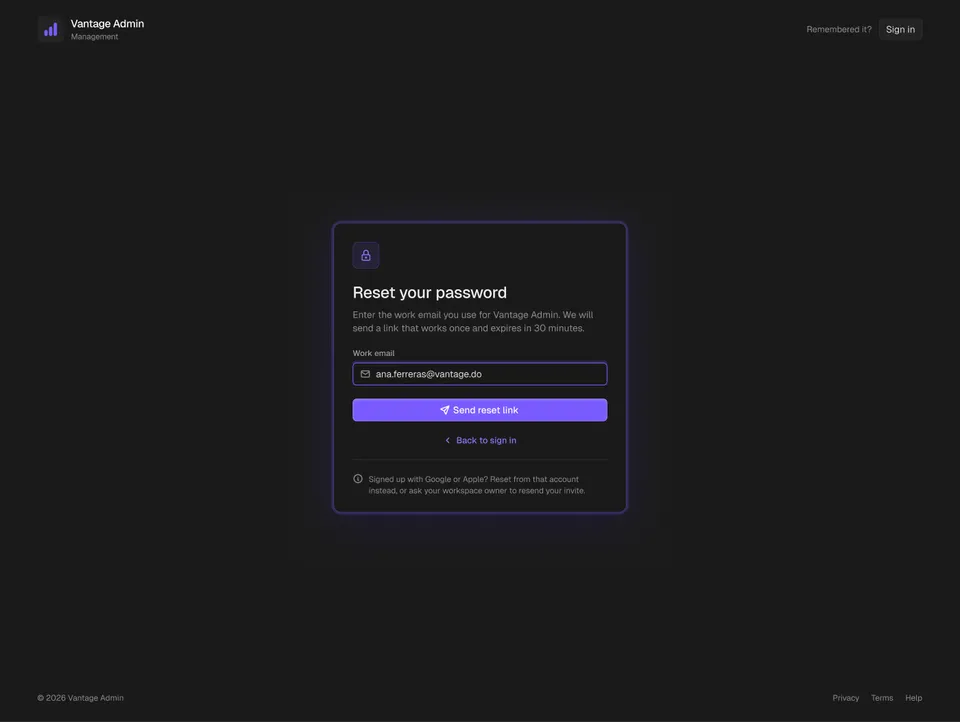
Forgot password page is 78 lines of React with 5 Ingot icons, set in Geist. It needs no packages beyond React, so it works in Next.js, Vite or Remix as pasted, and its colours can be swapped for your Vantage tokens.
- Component
<ForgotPasswordPage />- Size
- 1440 × 1083 px
- Icons
- Chevron left, Info circle, Lock, Mail, Send from Ingot Icons
- Type
- Geist, 12px, 13px, 14px, 16px, 24px, Regular and Medium
- Colours
- #8a8a8a#7b5bff#8f74ff#ffffff#1a1a1a#232323
- Corner radius
- 2.5px, 6px, 7px, 8px, 12px
- Code
- 78 lines of TypeScript, React only, inline styles, icons included
Use it
import { ForgotPasswordPage } from "./forgot-password-page";

export default function Page() {
  return <ForgotPasswordPage />;
}
Accessibility
Notes for all templates components (category level). Target: WCAG 2.2 AA.
- Structure
- One <h1>, landmarks (<header>, <nav>, <main>) and a skip link.
- Keyboard
- Every control reachable in visual order.
Before you ship it
- The generated code draws the design only: <div>s, text and aria-hidden icons, with no buttons, inputs, roles or ARIA. That is why it matches Figma closely, and why you add behaviour when you wire it up.
- Rebuild each part with the matching primitives.
How we test and what’s known: accessibility statement.