MCP for UI: how to give your AI coding agent a real design system
By Wolfpixel5 min read
An MCP server for UI components lets your AI coding agent ask a design system for tokens, components and rules instead of guessing from training data. Connect one (Ingot UI’s takes one command in Claude Code or a small JSON file in Cursor), ask the agent to run init_project first, and every screen it builds afterwards uses real, checked components in one consistent look.
Summarize withChatGPTClaudePerplexity
On this page
We are Wolfpixel. Most of our engineering now runs through AI agents, and the biggest quality jump we have seen did not come from a better model. It came from giving the agent a design system it could query. This guide explains why, and how to set it up.
Why AI agents build generic UI
An agent with no design context does the reasonable thing: it writes the most common pattern it has seen. For dashboards that means the default shadcn look, a grey card, a blue line chart and a table with no states. It is not wrong; it is average. And because every agent averages the same training data, every product starts to look alike.
Pasting a screenshot helps a little. The agent copies the surface, but it still invents the tokens, the spacing scale and the component boundaries, so the next screen drifts. We dig into this in why AI-built dashboards look generic.
What a design-system MCP server does
The Model Context Protocol is an open standard that lets an AI client call tools on a server. A design-system MCP server exposes tools such as “search components”, “get component code” and “get tokens”. When you ask for a screen, the agent searches the library, pulls the files it needs and writes code that imports them.
Several design systems and libraries now ship one, including shadcn/ui, Storybook and Figma (for design context). They solve different parts of the problem: Figma’s server tells the agent what a frame looks like; a component server tells it what to build that frame with.
Set up the Ingot UI MCP server
- 1Create a free account and an API key on the Account page.
- 2Add the server to your agent. The MCP page has copy-ready config for Claude Code, Cursor, VS Code and Codex.
- 3In your project, ask the agent to run
init_project. It writes the tokens, the Tailwind theme bridge and a rules file so later sessions stay on the system.
claude mcp add --transport http ingot-ui <MCP_URL from /mcp> --header "Authorization: Bearer YOUR_API_KEY"Free accounts get 50 MCP calls a day with the Loopo system; Pro is unlimited across all 6 systems.
The 14 tools your agent gets
| Tool | What the agent uses it for |
|---|---|
list_design_systems | See the systems with status, accent, font and plan |
get_design_system | Foundations for one system: tokens, rules, icon style |
get_tokens | Tokens as CSS variables, a Tailwind v4 theme or JSON |
search_components | Find components by keyword, category and plan |
get_component | Metadata, dependencies and usage for one component |
get_component_code | Every source file a component needs |
add_components | A ready-to-write file set and the npm install command |
init_project | Tokens, theme bridge, globals.css lines and an agent rules file |
scaffold_screen | Turn a screen description into a page assembled from library components |
get_chart | Pick the right chart for a question, wired to your data shape |
search_icons | Search 7,165 icons and get JSX or SVG |
audit_ui | Flag hard-coded colours and off-system patterns in your code |
get_usage | Plan and limits |
send_feedback | Request a component or report a problem |
Prompts that work
Be specific about the system, the screen and the data. These are prompts we use ourselves:
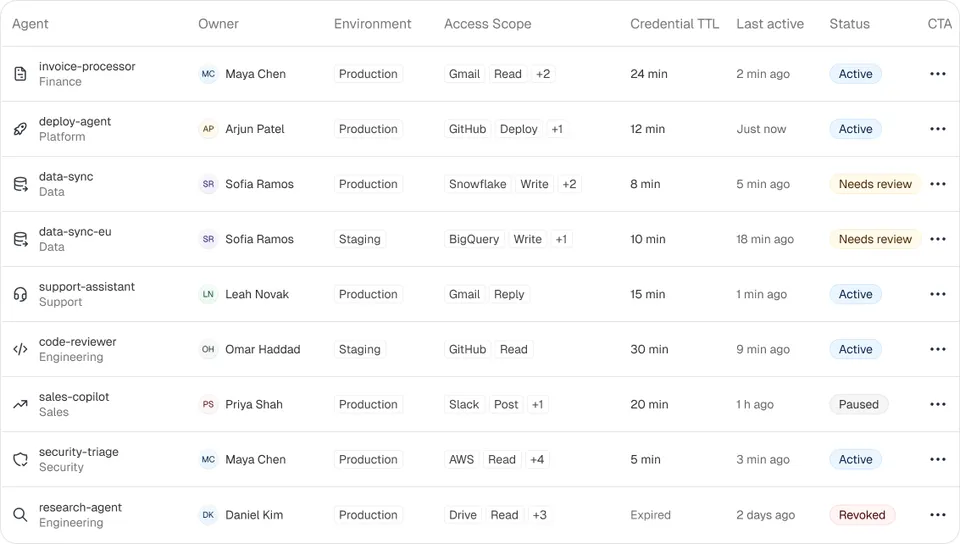
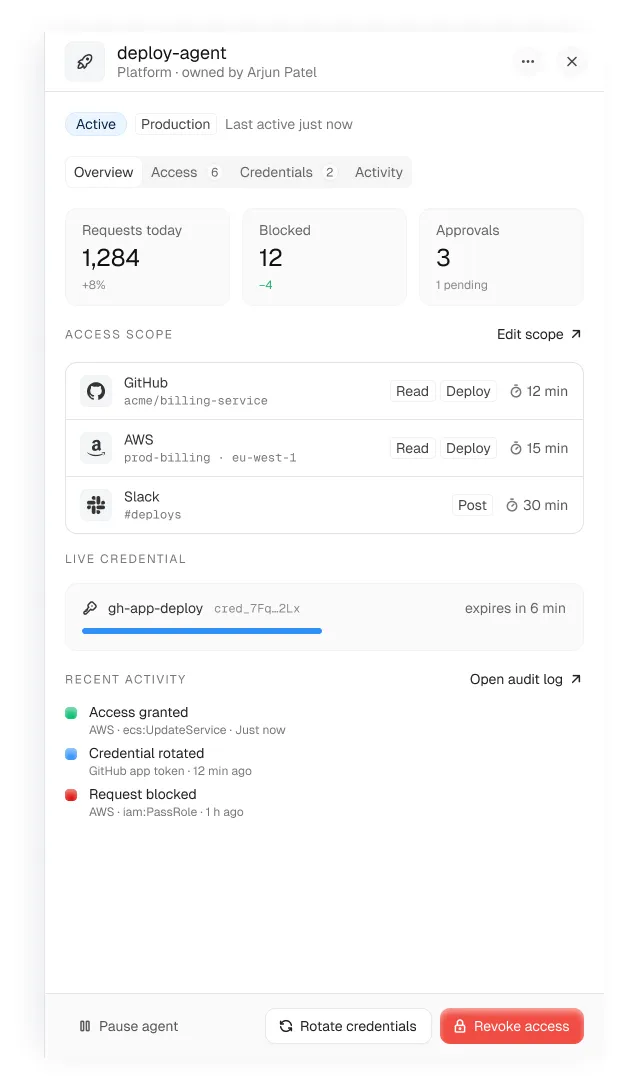
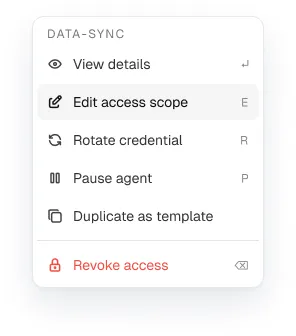
Set this project up with the Ingot UI Loopo system, then build an analytics overview page with KPI cards, a capsule bar chart for monthly revenue and a transactions table.Use the Ingot UI MCP to replace the hand-written cards on app/dashboard/page.tsx with library components. Keep the data fetching as is. Run audit_ui when you are done and fix what it reports.Using the Auton system, build an agents page: KPI row (registered, running now, active policies), an agents table with row actions and a deploy-agent drawer.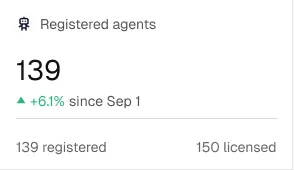
Mistakes to avoid
- Skipping `init_project`. Without the rules file, a fresh agent session forgets the system and drifts back to defaults.
- Asking for a whole app in one prompt. Ask for one screen, review it, then the next.
- Mixing systems on one screen. Pick one look per product, or scope systems by area with
data-system. - Not auditing. Run
audit_uiafter big changes; it catches the hard-coded hex values agents love to add.
Frequently asked questions
What is an MCP server for UI components?
A server that follows the Model Context Protocol and exposes a design system’s tokens, components and rules as tools an AI coding agent can call, so the agent builds with real components instead of inventing them.
Which AI coding tools support the Ingot UI MCP server?
Any MCP client that supports HTTP servers with headers. The MCP page has copy-ready setup for Claude Code, Cursor, VS Code and Codex.
Is the Ingot UI MCP server free?
Yes, with a free account: 50 calls a day and the Loopo system. Pro and Lifetime plans are unlimited across all 6 systems.
How is this different from the Figma MCP server?
Figma’s server gives the agent design context about a frame. A component MCP server gives it the code and tokens to build that frame with. They work well together.
Can I use Ingot UI without an AI agent?
Yes. The same components install with npx ingotui add or the shadcn CLI, and every component page has copy-ready code.
About the author
Wolfpixel is the product design studio that designed the six Ingot UI systems from real dashboard projects, and checks every generated React component against its Figma original before it ships. Read more on wolfpixel.agency.