Empty state design for dashboards: 5 kinds and how to write each
By Wolfpixel2 min read
An empty state should say why the screen is empty and what to do next, with the action as a button. Design five kinds separately: first use (explain and offer the first action), no results (name the filters and offer to clear them), cleared (confirm success), error (say what failed and offer a retry) and no permission (say who can grant access).
Summarize withChatGPTClaudePerplexity
We are Wolfpixel. On onboarding projects the empty state is often the first screen a new user sees after sign-up, which makes it one of the most important screens in the product and one of the least designed.
The five kinds
| Kind | When | What it says | Action |
|---|---|---|---|
| First use | Nothing has been created yet | What will appear here and why it is useful | Create the first item, or import |
| No results | Search or filters match nothing | Which filters caused it | Clear filters |
| Cleared | The user finished everything | Confirms success | Optional next step |
| Error | Data failed to load | What failed, in plain words | Retry, status page |
| No permission | The user can’t see this | Who can grant access | Request access |
Writing the copy
- Title: the situation in a few words (“No agents yet”).
- Body: one sentence on value (“Agents you register appear here with their status and policies.”).
- Button: a verb and the object (“Register an agent”), not “Get started”.
- Secondary link: docs or an SDK for developers.
- Skip illustrations unless they add meaning; a relevant icon is enough.
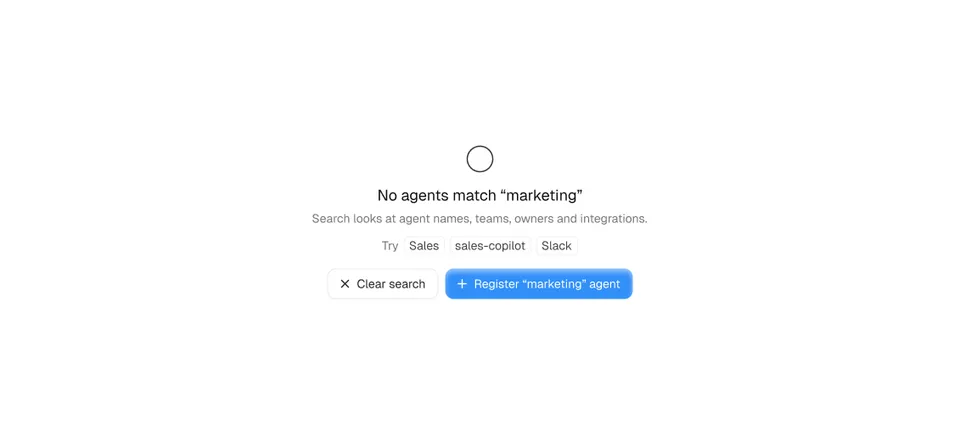
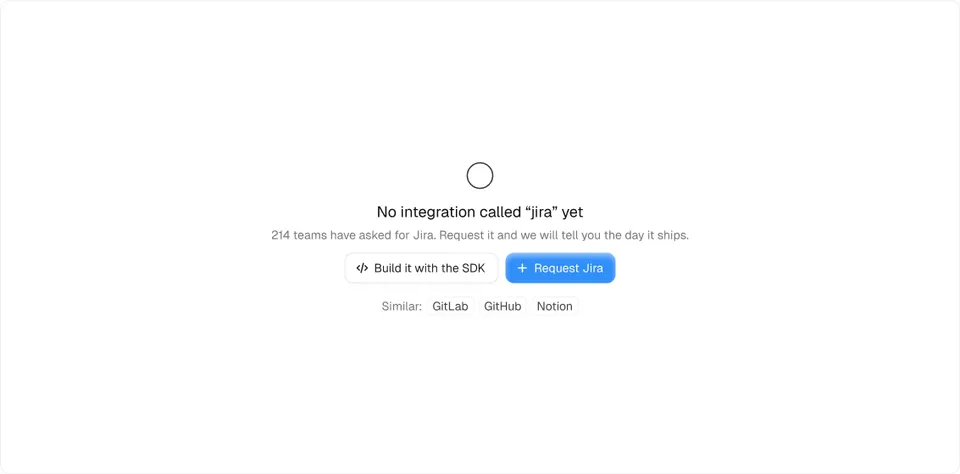

No results is not the same as empty
A no-results state must name the cause (“No campaigns match ‘Paused’ and ‘Last 7 days’”) and offer to clear filters. Showing the first-use message here tells people their data is gone.
Mistakes
- A blank table with headers and nothing else.
- “No data” as the only text.
- Showing the empty state for a second before data loads; show a skeleton until you know.
- A first-use state that never goes away for teams who don’t need that feature; let people dismiss it.
Frequently asked questions
What is an empty state in UI design?
The screen or area shown when there is nothing to display yet, because nothing was created, filters match nothing, data failed to load or the user lacks access.
What should an empty state include?
A short title, one sentence explaining what will appear and why it matters, and a primary action that fixes the empty state.
Is there a free React empty state component?
Yes. The Loopo empty state in Ingot UI is free React and Tailwind code.
About the author
Wolfpixel is the product design studio that designed the six Ingot UI systems from real dashboard projects, and checks every generated React component against its Figma original before it ships. Read more on wolfpixel.agency.