Free Figma dashboard UI kits in 2027: 7 worth opening
By Wolfpixel3 min read
The best free Figma dashboard kits are the ones with matching code, because a Figma-only kit still leaves the build to you. Start with the free Loopo system from Ingot UI (340 Figma components, 351 with React code), then look at the free tiers of Untitled UI, TailAdmin and Flowbite, the shadcn/ui community kits, and Google’s Material 3 kit for Material products.
Summarize withChatGPTClaudePerplexity
We are Wolfpixel, and Loopo is ours, so read the first entry with that in mind. We list it first because it is the only free kit here built from a real product dashboard with React code checked against Figma; the others are excellent for different reasons.
How we judged free kits
- Is there matching code, or only Figma?
- Dashboard depth: charts, KPI cards, tables, overlays, page templates.
- Built with components, variables and auto layout, so it can be edited.
- Licence clear enough for commercial products.
The 7 kits
1. Loopo
Warm analytics, soft surfaces
- In Figma
- 340
- With React code
- 351
- Source screens
- 72
- Charts
- 32
- Plan
- Free
Best for: founders who want a finished analytics look in Figma and code, free.
- 340 Figma components from 72 product screens, 15 page templates.
- 351 components with React + Tailwind code, including 30 hand-built free components.
- Copy any component as a Figma layer from its page, or get the kit with a free account.
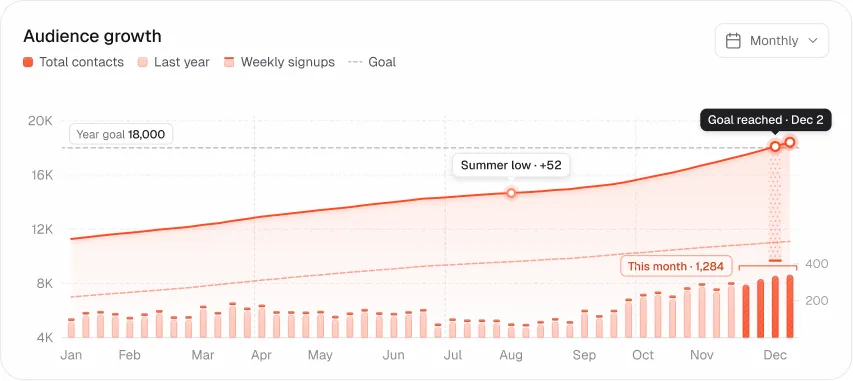
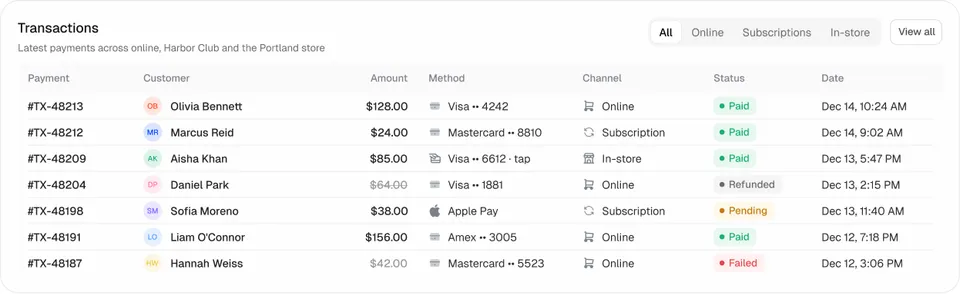
Try:Audience pageAudience growth cardKPI cardData table
Open Loopo2. Untitled UI (free version)
Best for: teams that want a large, neutral Figma foundation. The free version of Untitled UI covers core components and styles; the paid tiers add many more screens and the React library.
3. TailAdmin Figma
Best for: a free admin template with a Figma file and Tailwind code. TailAdmin is generic but complete for internal tools.
4. Flowbite Figma (free)
Best for: Tailwind teams. Flowbite keeps its Figma kit aligned with its Tailwind components; dashboard coverage is general.
5. shadcn/ui community Figma kits
Best for: shadcn projects. Several free community kits mirror shadcn/ui components; check how recently each was updated, since shadcn changes often.
6. Material 3 Design Kit
Best for: products built on Material Design or MUI. Google’s free kit on Figma Community is thorough and official.
7. Figma Community dashboard files
Best for: inspiration. Search Figma Community for “dashboard”; quality varies a lot, so check structure (components, auto layout) before you build on one.
The catch with free Figma kits
- No code means the build is still on you. A dense chart card can take a developer a day.
- Generic coverage. Free kits rarely include settings, audit logs or the domain screens your product needs.
- Licences differ. Read them before shipping a commercial product.
For paid options and code-first kits, see the best dashboard UI kits.
Frequently asked questions
Is there a free Figma dashboard UI kit with React code?
Yes. The Loopo system in Ingot UI is free, with 340 Figma components and 351 React components. TailAdmin and Flowbite also pair free Figma files with code.
Can I use free Figma UI kits commercially?
Usually, but licences differ. Ingot UI allows unlimited personal and commercial projects; check each kit’s licence.
How do I copy an Ingot UI component into Figma?
Open the component page and use Copy to Figma, then paste into your file.
About the author
Wolfpixel is the product design studio that designed the six Ingot UI systems from real dashboard projects, and checks every generated React component against its Figma original before it ships. Read more on wolfpixel.agency.